Harmony Type
Harmony is one of the core features of the crafting system. Mods can add new harmony types through window.modAPI.actions.addHarmonyType. Use RecipeHarmonyType from afnm-types for the current built-in types.
window.modAPI.actions.addHarmonyType(harmonyType: RecipeHarmonyType, config: HarmonyTypeConfig)
- harmonyType: A unique string identifier for your harmony type (e.g., ‘elemental’, ‘temporal’, ‘chaos’). Note, as you are adding new and unknown harmony types you need to tell the compiler this is the case, by ‘casting’ the string to the RecipeHarmonyType ‘elemental’ as RecipeHarmonyType
- config: An object containing all configuration for the harmony type:
HarmonyTypeConfig Fields
1. name (string, required)
The display name of your harmony type shown to players.
Example: “Elemental Balance”
2. description (Translatable, required)
Description explaining the harmony mechanics to players. Accepts a plain string or a translatable value and supports special formatting tags:
<name>text</name>- Highlights important terms<num>number</num>- Highlights numbers<li>item</li>- Creates list items<br/>- Line breaks- Standard HTML like
<span style="color: green">text</span>
Example:
description: `Balance the elements to maintain <name>Harmony</name>.
  <br/>
  Each action shifts the elemental balance:
  <li>Support: +<num>2</num> heat, -<num>1</num> cold</li>
  <li>Refine: +<num>2</num> cold, -<num>1</num> heat</li>`
3. processEffect (function, required)
Called once per crafting technique execution, after the technique’s effects have been applied. Use this to implement per-technique harmony mechanics.
Function Signature:
processEffect: (
  harmonyData: HarmonyData,
  technique: CraftingTechnique,
  progressState: ProgressState,
  entity: CraftingEntity,
  state: CraftingState,
  actionResolution?: CraftingActionResolution
) => void
Parameters:
harmonyData: Store custom data for your harmony type here, in theadditionalDatafield.technique: The crafting action that was just executedprogressState: Current crafting progress (completion, perfection, harmony, etc.)entity: The player’s crafting entity with stats and buffsstate: Overall crafting state including the logactionResolution: Optional details of the resolved crafting action; check forundefinedbefore reading it
Common Operations:
- Initialize custom data in
harmonyData.additionalData. e.g.harmonyData.additionalData = { heat: 0, cold: 0 } - Modify
progressState.harmonybased on player actions - Add/remove buffs to
entity.buffs - Log messages to
state.craftingLog - Set
harmonyData.recommendedTechniqueTypesto guide the player on the best crafting action types to use next (if relevant)
4. onBarChange (function, optional)
Fired after every individual completion or perfection change during a technique’s execution. Use this for per-instance reactions, such as scoring harmony rewards or penalties each time a bar moves, rather than once at end of turn. Omit if your harmony only cares about end-of-turn state.
Function Signature:
onBarChange?: (
  bar: 'completion' | 'perfection',
  harmonyData: HarmonyData,
  progressState: ProgressState,
  entity: CraftingEntity,
  state: CraftingState
) => void
Parameters:
bar: Which bar changed ('completion'or'perfection')harmonyData: Your harmony type’s data object (same as inprocessEffect)progressState: Current crafting progressentity: Player’s crafting entitystate: Overall crafting state
Example — scoring per-bar instead of per-technique:
onBarChange: (bar, harmonyData, progressState, entity, state) => {
  // Award +5 harmony each time the focused bar rises
  const data = harmonyData.additionalData as { focusedBar: 'completion' | 'perfection' };
  if (bar === data.focusedBar) {
    progressState.harmony += 5;
    state.craftingLog.push('Eccentric Decree: focused bar advanced. +5 harmony');
  } else {
    progressState.harmony -= 5;
    entity.stats.pool -= 5;
    state.craftingLog.push('Eccentric Decree: other bar advanced. -5 harmony, -5 Qi Pool');
  }
},
5. initEffect (function, required)
Called once when crafting begins to initialize your harmony type.
Function Signature:
initEffect: (harmonyData: HarmonyData, entity: CraftingEntity) => void
Common Operations:
- Initialize your custom data structure in
harmonyData.additionalData - Apply starting buffs to the entity
- Set initial recommended techniques
6. renderComponent (function, required)
Returns a React component to display your harmony’s visual state during crafting.
Function Signature:
renderComponent: (harmonyData: HarmonyData) => ReactNode
Guidelines:
- Component should be positioned absolutely within the crafting interface
- Use Box components with proper positioning
- Access your custom data from
harmonyData.additionalData - Return visual feedback showing current state
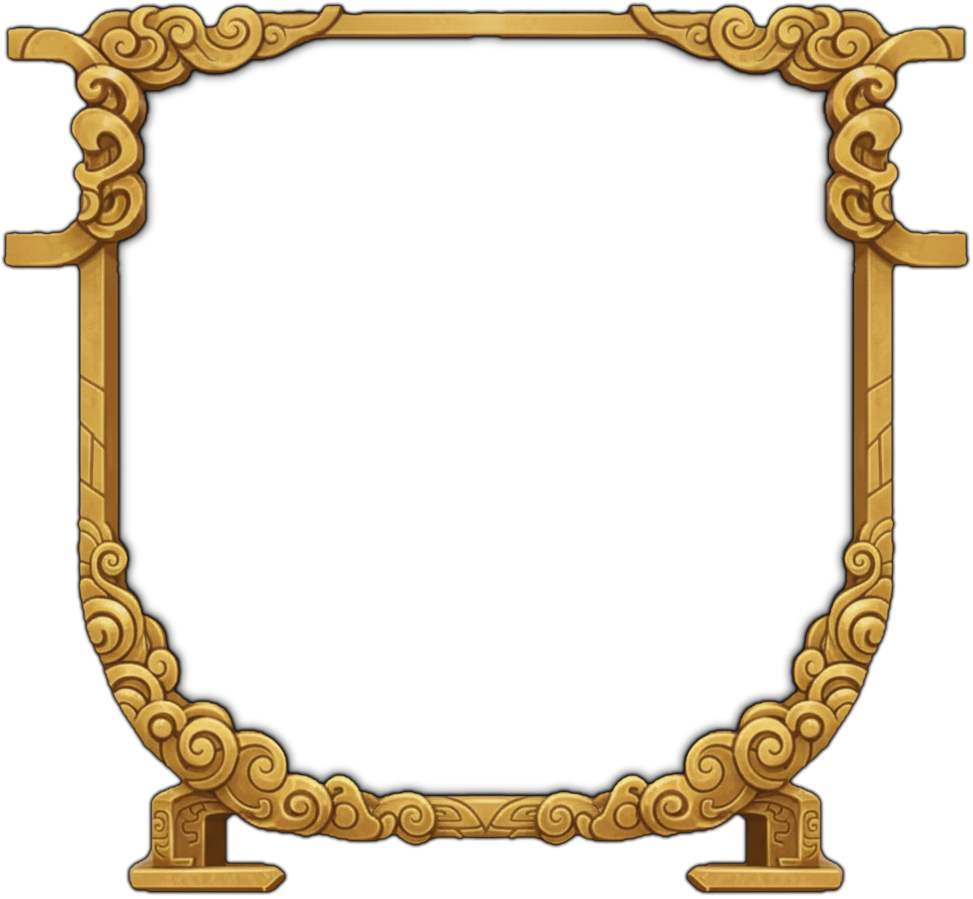
- Can draw custom assets to be rendered, by drawing them on a blank image using the base cauldron background (below) as a guide. Do not include the cauldron itself in your new asset, simply use it as a guide for the image size and positioning of your new asset.
Required display and progression fields
Also supply shortDescription, icon (a Material UI SVG icon component), iconColour, iconBorderColour, complexityMultiplier, unlockFlag, and statTable. The unlock flag controls whether players can select the harmony; set it through your teaching quest. statTable contains optional generators for clothing, talisman, artefact, cauldron, and mount stats.
HarmonyData.additionalData is unknown; narrow or cast it to your mod’s data shape before reading its fields.
Optional cost and starting harmony overrides
qiCostMultiplier and stabilityCostMultiplier receive (technique: CraftingTechnique, harmonyData: HarmonyData) and return a numeric multiplier for the action’s live resource cost. For example, returning 0.5 halves the cost. These callbacks affect the displayed cost and the amount spent by the engine.
startingHarmony sets the initial harmony value for this harmony type. Omit it to use the default starting value.
Complete Example
Save this JSX example in a .tsx file and import it from src/modContent/index.ts. The styles use MUI 9’s sx prop, and the icon comes from the package root to use the game’s shared icon runtime.
import type { HarmonyData, RecipeHarmonyType } from 'afnm-types';
import { Box, Typography } from '@mui/material';
import { LocalFireDepartment } from '@mui/icons-material';

// This example stores only numeric fire/water levels in additionalData.
function elementData(harmonyData: HarmonyData): { fire: number; water: number } {
  return (harmonyData.additionalData ??= { fire: 5, water: 5 }) as { fire: number; water: number };
}

window.modAPI.actions.addHarmonyType('elemental' as RecipeHarmonyType, {
  name: 'Elemental Balance',
  shortDescription: 'Balance fire and water to gain harmony.',
  icon: LocalFireDepartment,
  iconColour: '#f44336',
  iconBorderColour: '#2196f3',
  complexityMultiplier: 1,
  unlockFlag: 'elemental_harmony_unlocked',
  statTable: { clothing: quality => ({ power: quality }) },

  description: `Balance fire and water elements to maintain <name>Harmony</name>.
    <br/>
    <br/>
    Actions affect element levels:
    <li>Fusion: +<num>3</num> fire</li>
    <li>Refine: +<num>3</num> water</li>
    <li>Support/Stabilize: +<num>1</num> to lower element</li>
    <br/>
    Perfect balance (both at 5): +<num>15</num> <name>Harmony</name>
    <br/>
    Imbalance: -<num>10</num> <name>Harmony</name> per point of difference`,

  processEffect: (harmonyData, technique, progressState, entity, state) => {
    // Initialize data if needed
    harmonyData.additionalData = harmonyData.additionalData || {
      fire: 5,
      water: 5
    };

    const data = elementData(harmonyData) as { fire: number; water: number };

    // Process technique effects
    if (technique.type === 'fusion') {
      data.fire = Math.min(10, data.fire + 3);
      state.craftingLog.push(`Fire element increased to ${data.fire}`);
    } else if (technique.type === 'refine') {
      data.water = Math.min(10, data.water + 3);
      state.craftingLog.push(`Water element increased to ${data.water}`);
    } else {
      // Support/Stabilize boost the lower element
      if (data.fire < data.water) {
        data.fire += 1;
      } else {
        data.water += 1;
      }
    }

    // Calculate harmony based on balance
    const diff = Math.abs(data.fire - data.water);
    if (diff === 0 && data.fire === 5) {
      progressState.harmony += 15;
      state.craftingLog.push(`Perfect balance! +15 harmony`);
    } else {
      progressState.harmony -= diff * 10;
      state.craftingLog.push(`Imbalance penalty: -${diff * 10} harmony`);
    }

    // Apply buffs based on dominant element
    if (data.fire > data.water) {
      entity.buffs = [{
        name: 'Fire Dominance',
        icon: 'flame.png',
        canStack: false,
        stats: {
          intensity: { value: 0.3, stat: 'intensity' }
        },
        effects: [],
        onFusion: [],
        onRefine: [],
        stacks: 1,
        displayLocation: 'none'
      }, ...entity.buffs.filter(b => b.name !== 'Fire Dominance' && b.name !== 'Water Dominance')];
    } else if (data.water > data.fire) {
      entity.buffs = [{
        name: 'Water Dominance',
        icon: 'water.png',
        canStack: false,
        stats: {
          control: { value: 0.3, stat: 'control' }
        },
        effects: [],
        onFusion: [],
        onRefine: [],
        stacks: 1,
        displayLocation: 'none'
      }, ...entity.buffs.filter(b => b.name !== 'Fire Dominance' && b.name !== 'Water Dominance')];
    }

    // Recommend techniques to balance
    if (data.fire > data.water + 2) {
      harmonyData.recommendedTechniqueTypes = ['refine'];
    } else if (data.water > data.fire + 2) {
      harmonyData.recommendedTechniqueTypes = ['fusion'];
    } else {
      harmonyData.recommendedTechniqueTypes = ['support', 'stabilize'];
    }
  },

  initEffect: (harmonyData, entity) => {
    harmonyData.additionalData = {
      fire: 5,
      water: 5
    };
    harmonyData.recommendedTechniqueTypes = ['fusion', 'refine'];
  },

  renderComponent: (harmonyData) => {
    const { fire, water } = elementData(harmonyData);

    return (
      <Box
        id="elemental"
        sx={{ display: 'flex', mt: 5.2, position: 'relative', justifyContent: 'center' }}
      >
        {/* Fit to the bounds of the cauldron */}
        <Box
          sx={{
            width: 'calc(min(35vw, 35vh))',
            height: 'calc(min(35vw, 35vh))',
            position: 'relative',
            overflow: 'visible',
          }}
        >
          <Box
            sx={{
              display: 'flex',
              position: 'absolute',
              zIndex: 21,
              top: 0,
              left: 0,
              width: '100%',
              height: '100%',
            }}
          >
            {/* Fire meter */}
            <Box
              sx={{
                flex: 1,
                display: 'flex',
                flexDirection: 'column',
                alignItems: 'center',
                position: 'absolute',
                zIndex: 21,
                top: 0,
                left: 0,
                width: '100%',
                height: '100%',
              }}
            >
              <Typography sx={{ color: 'red' }}>Fire: {fire}</Typography>
              <Box
                sx={{
                  width: '30px',
                  height: '60px',
                  bgcolor: 'rgba(255,0,0,0.2)',
                  border: '1px solid red',
                  position: 'relative',
                }}
              >
                <Box
                  sx={{
                    position: 'absolute',
                    bottom: 0,
                    width: '100%',
                    height: `${fire * 10}%`,
                    bgcolor: 'red',
                  }}
                />
              </Box>
            </Box>

            {/* Water meter */}
            <Box
              sx={{
                flex: 1,
                display: 'flex',
                flexDirection: 'column',
                alignItems: 'center',
                position: 'absolute',
                zIndex: 21,
                top: 0,
                right: 0,
                width: '100%',
                height: '100%',
              }}
            >
              <Typography sx={{ color: 'blue' }}>Water: {water}</Typography>
              <Box
                sx={{
                  width: '30px',
                  height: '60px',
                  bgcolor: 'rgba(0,0,255,0.2)',
                  border: '1px solid blue',
                  position: 'relative',
                }}
              >
                <Box
                  sx={{
                    position: 'absolute',
                    bottom: 0,
                    width: '100%',
                    height: `${water * 10}%`,
                    bgcolor: 'blue',
                  }}
                />
              </Box>
            </Box>
          </Box>
        </Box>
      </Box>
    );
  },
});
Assigning a Harmony Type
Set harmonyTypeOverride on an individual recipe to use your registered harmony type. Define baseRecipe as a complete RecipeItem first.
const elementalRecipe: RecipeItem = {
  ...baseRecipe, // A complete RecipeItem defined earlier; override its harmony below
  harmonyTypeOverride: 'elemental' as RecipeHarmonyType,
}
Best Practices
- Balance Risk/Reward: Higher harmony bonuses should require more skill or risk
- Clear Visual Feedback: Your render component should clearly show the current state
- Informative Logging: Use
state.craftingLog.push()to explain what is happening - Buff Management: Always filter out old buffs before applying new ones with the same name
- Recommended Techniques: Use
harmonyData.recommendedTechniqueTypesto guide players - Per-bar Reactions: Use
onBarChangewhen you need to react to individual bar changes, not just end-of-turn state
Utility Functions
Common utilities available in harmony implementations:
// Colour formatting for logs
const col = (content, color) => `<span style="color: ${color}">${content}</span>`;

// Technique type formatting
const fusion = `<span style="color: lime">Fusion</span>`;
const refine = `<span style="color: cyan">Refine</span>`;
const support = `<span style="color: #eb34db">Support</span>`;
const stabilize = `<span style="color: orange">Stabilize</span>`;